Study with PDFs and the AI Assistant
Turn a difficult passage into a focused study question. Select the relevant text, ask the AI assistant for examples and use a follow-up to apply the idea. Prepare a recall question from the source and return to your saved conversation when you need it.
Step by step
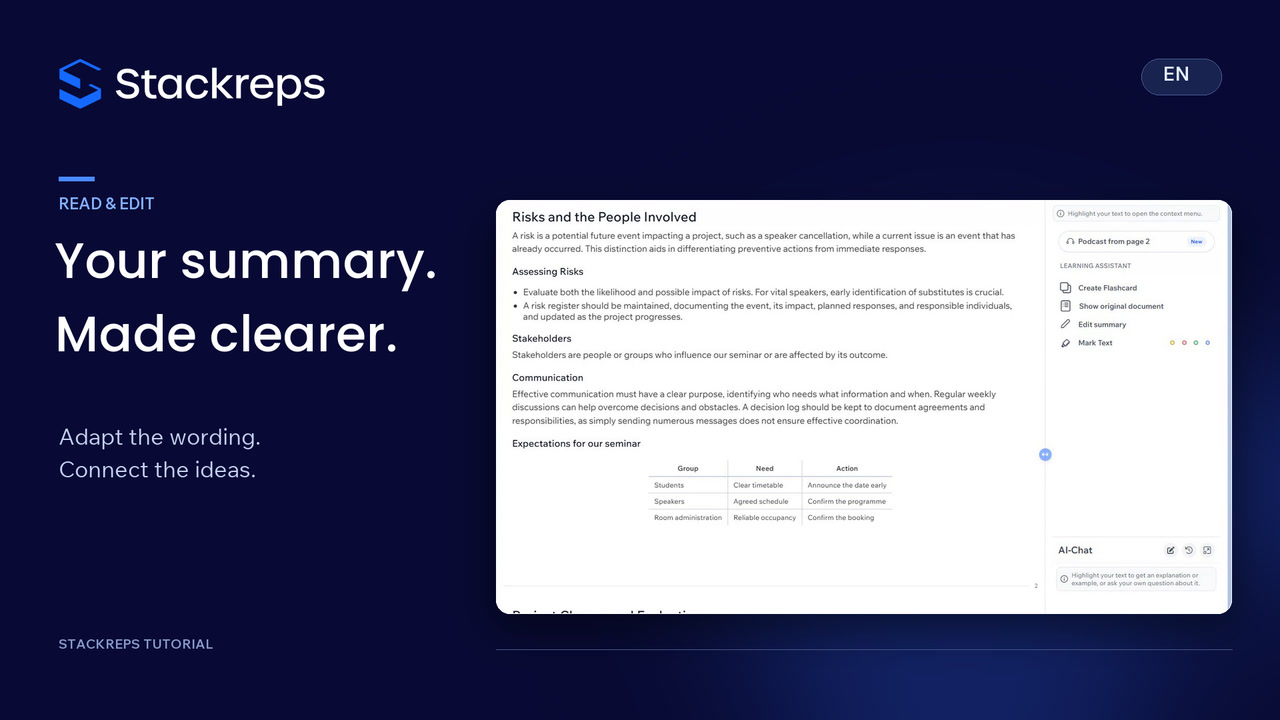
- Open the relevant page in the original document and select the specific paragraph.
- Use Add to Chat to include the passage and ask a focused question in your own words.
- Read the actual answer and check important points against your notes.
- Ask a follow-up that applies the idea to a concrete situation.
- Use the passage as a flashcard answer and write a recall question; leave the card unsaved in this tutorial.
- Reopen the saved conversation through history and explain the distinction in your own words.
Transcript
- 0:00You can read a definition without being able to use it.
- 0:03In our seminar example, we want to understand
- 0:06when a possible risk becomes an issue the team needs to address.
- 0:09Open the relevant page in the original document
- 0:12and select the specific paragraph.
- 0:14That passage gives your question a clear starting point,
- 0:18rather than leaving the assistant to guess what you mean.
- 0:21The menu offers an explanation or an example.
- 0:25Add to Chat lets you ask in your own words.
- 0:28We'll ask how a risk differs from a current issue, with one example of each.
- 0:33Read the answer alongside your notes.
- 0:36A possible cancellation is still in the future.
- 0:39Once the cancellation has arrived,
- 0:41the team needs to respond to something that has already happened.
- 0:45Now change the situation: the speaker really has cancelled.
- 0:49Our follow-up asks for three practical next steps.
- 0:53This takes the discussion from recognising a definition to using it in a decision.
- 0:58You can also turn the source passage into a flashcard draft.
- 1:02Use the selection as the answer,
- 1:04then write a question that asks you to recall the distinction.
- 1:08We'll leave this card unsaved;
- 1:10the flashcard tutorial covers editing and saving in detail.
- 1:14The conversation remains available in your chat history, ready for a later question.
- 1:18Check important points against your notes,
- 1:20then explain the difference again in your own words.